Text styles
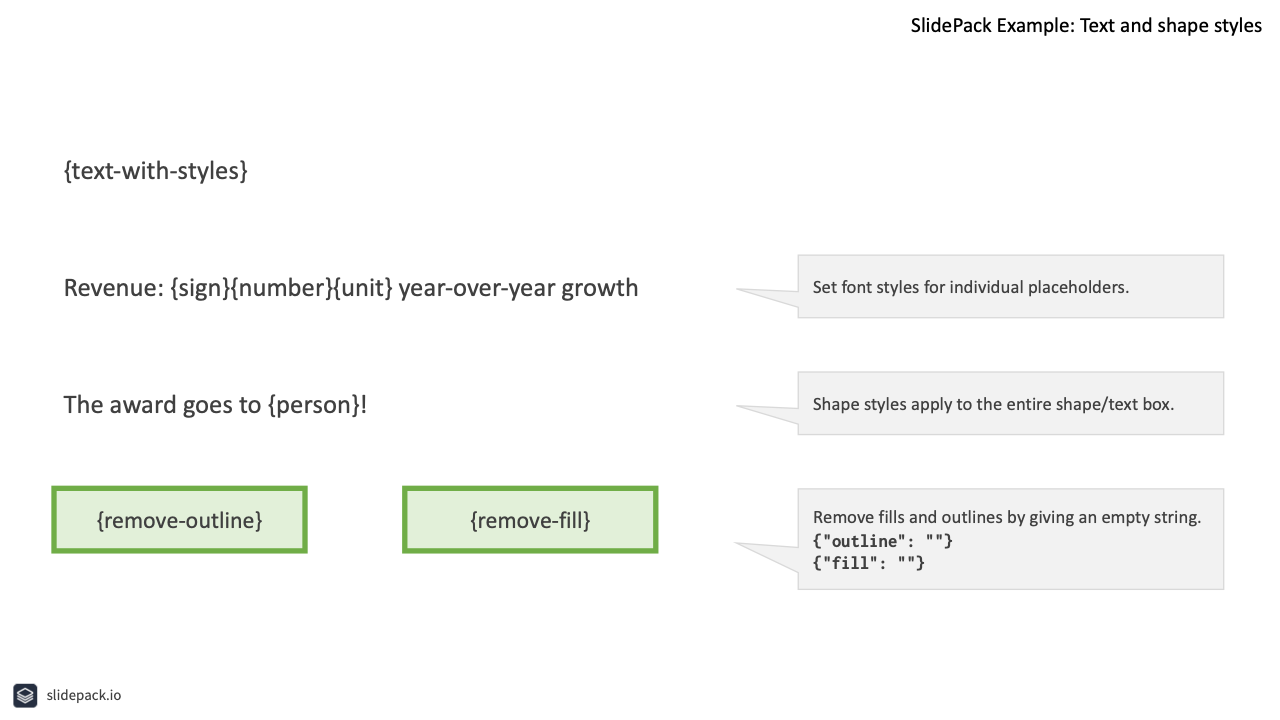
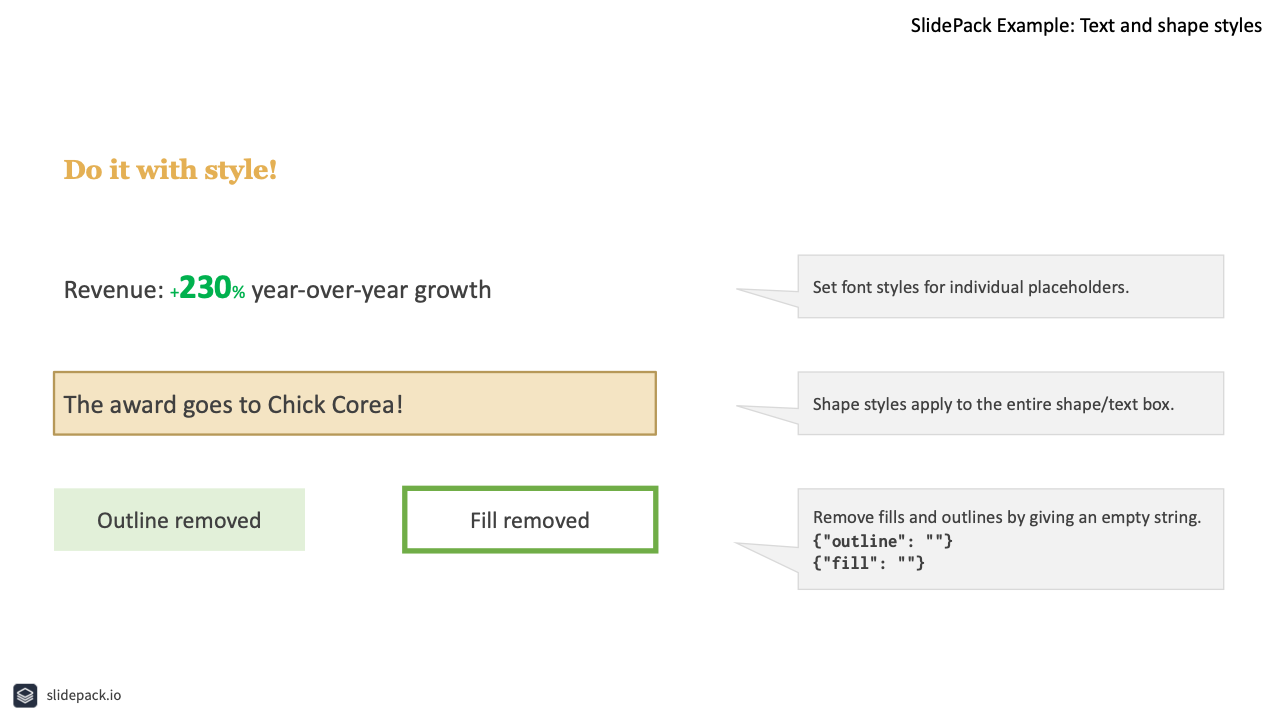
You can set styles for individual {placeholder}s.
Things you can specify include:
- Font family, size, color, bold, underline, etc (via
styles.font). This affects only the text that replaced the placeholder. - Shape fill color, border color, etc (via
styles.shape). This affects the entire shape that contains the placeholder. - Other aspects, depending on the context, such as chart series colors
You can also unset some styles by passing an empty string, e.g. {"outline": ""}.
Reference: the Text object · the Styles object
Download: input.zip · output.pptx
template.pptx
1
output.pptx
1
data.json
{
  "slides": [
    {
      "template": 1,
      "text-with-styles": {
        "type": "text",
        "value": "Do it with style!",
        "styles": {
          "font": {
            "typeface": "Georgia",
            "color": "e4b054",
            "bold": true
          }
        }
      },

      "sign": {
        "type": "text",
        "value": "+",
        "styles": {
          "font": {
            "color": "00b14e",
            "size": 14
          }
        }
      },
      "number": {
        "type": "text",
        "value": "230",
        "styles": {
          "font": {
            "color": "00b14e",
            "size": 26,
            "bold": true
          }
        }
      },
      "unit": {
        "type": "text",
        "value": "%",
        "styles": {
          "font": {
            "color": "00b14e",
            "size": 14
          }
        }
      },

      "person": {
        "type": "text",
        "value": "Chick Corea",
        "styles": {
          "shape": {
            "fill": "f4e4c3",
            "outline": "b69858"
          }
        }
      },

      "remove-outline": {
        "type": "text",
        "value": "Outline removed",
        "styles": {
          "shape": {
            "outline": ""
          }
        }
      },
      "remove-fill": {
        "type": "text",
        "value": "Fill removed",
        "styles": {
          "shape": {
            "fill": ""
          }
        }
      }
    }
  ]
}